5 Resume Structure Mistakes That Kill Your ATS Score
Your resume structure determines whether an ATS can parse it correctly. Avoid these common formatting errors that tank your application before a recruiter sees it.
Dmitry Freeman
HR-Tech Architect & ATS Integration Specialist
Dmitry Freeman is an HR-Tech platform engineer and career optimization consultant. He focuses on RAG-driven CV tailoring, ATS matching algorithms, automated application pipeline engineering, and technical interview simulation tech.
You have the right experience and skills. But if your resume structure confuses the ATS parser, your application may be silently rejected. Here are five structural mistakes that hurt your score. Designing a resume for machine parsers requires a shifts in focus from visual decoration to semantic hierarchy and clear parsing order.
1. Using Tables for Layout
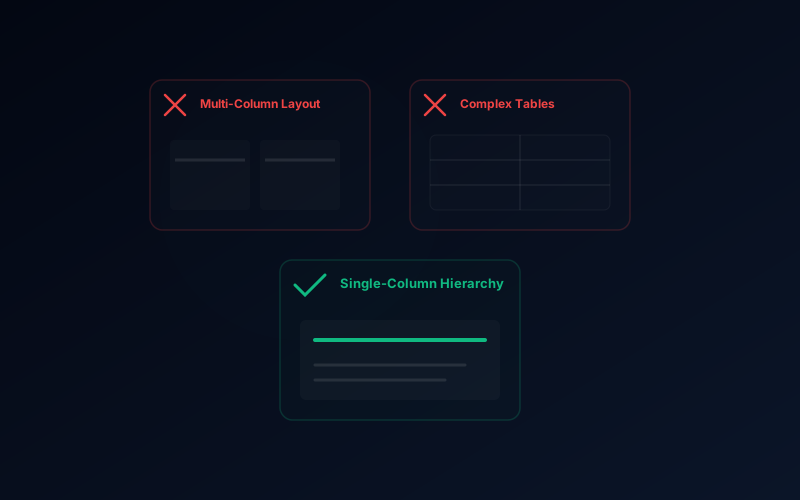
Tables are a common way to create side-by-side sections or skill bars. But ATS parsers read tables left-to-right, top-to-bottom — often in the wrong order.
The fix: Use simple layouts with clear section headers and single-column formatting.
2. Critical Info in Headers & Footers
Many parsers ignore headers and footers entirely. If your name, phone, email, or LinkedIn URL is in the header, it may not be extracted.
The fix: Place contact information in the main body of the document, not in the header or footer.
3. Multi-Column Layouts
Two-column resumes look great but confuse parsers. The system reads left column entirely, then right column — your work history reads out of chronological order.
The fix: Stick to a single-column layout. It’s more ATS-friendly and works well for most industries.
4. Inconsistent Section Headings
Parsers identify sections by their headings. Creative variations may not be recognized:
| Avoid | Recommended |
|---|---|
| Where I’ve Worked | Work Experience |
| My Toolbox | Skills |
| Education History | Education |
| Get to Know Me | Professional Summary |
The fix: Use standard headings that parsers expect.
5. Embedded Images & Icons
Contact icons (phone, email, location) look nice but are invisible to ATS parsers. Text inside images is completely lost.
The fix: Use plain text for all contact details. Reserve icons for decorative elements in a separate section.
The Checklist
Before submitting your next application, run through this checklist:
- Single-column layout
- Standard section headings
- Contact info in the main body (not header/footer)
- No tables used for layout
- All text is selectable (not in images)
- Consistent date formatting throughout
- PDF title is your name (not “Resume (2).pdf”)
Run our AI CV Analyzer to detect these issues and more — it checks for tables, headers, multi-column formats, and 12 other common ATS problems.
Try the free AI CV Analyzer — score your resume against real ATS criteria and see keyword gaps in seconds.
Need to check your own CV?
Get instant AI-powered analysis of your resume. Free, no account needed.
Try AI CV Analyzer →Related Posts
The Mathematics of ATS Grading and Scoring Algorithms
Behind the curtain of Applicant Tracking Systems: TF-IDF formulations, entity recognition, and parsing heuristics that make or break candidate rankings.
Resume ATS Compatibility Engineering: Under the Hood of Parsing Engines
A deep technical breakdown of how modern Applicant Tracking Systems (ATS) work. Discover how algorithms tokenize PDFs, calculate keyword weights (TF-IDF), and why beautiful multi-column designs destroy your parse rates.
How ATS Systems Work: A Complete Guide for Job Seekers
75% of large employers filter resumes through an ATS before a human sees them. Learn how ATS parsing, ranking, and keyword matching actually work — and how to optimize your resume for each.
CV Keyword Gaps: Why Your Resume Gets Ignored (And How to Fix It)
Discover why keyword gaps are the #1 reason resumes get rejected by ATS. Learn how to identify missing terms and optimize your CV for specific job titles.
On this page
Category
cv-guidesRelated Posts
The Mathematics of ATS Grading and Scoring Algorithms
Behind the curtain of Applicant Tracking Systems: TF-IDF formulations, entity recognition, and parsing heuristics that make or break candidate rankings.
Resume ATS Compatibility Engineering: Under the Hood of Parsing Engines
A deep technical breakdown of how modern Applicant Tracking Systems (ATS) work. Discover how algorithms tokenize PDFs, calculate keyword weights (TF-IDF), and why beautiful multi-column designs destroy your parse rates.
How ATS Systems Work: A Complete Guide for Job Seekers
75% of large employers filter resumes through an ATS before a human sees them. Learn how ATS parsing, ranking, and keyword matching actually work — and how to optimize your resume for each.
CV Keyword Gaps: Why Your Resume Gets Ignored (And How to Fix It)
Discover why keyword gaps are the #1 reason resumes get rejected by ATS. Learn how to identify missing terms and optimize your CV for specific job titles.